Universities · Undergraduate · Graduate · Continuing Education
Smart Campus Management System
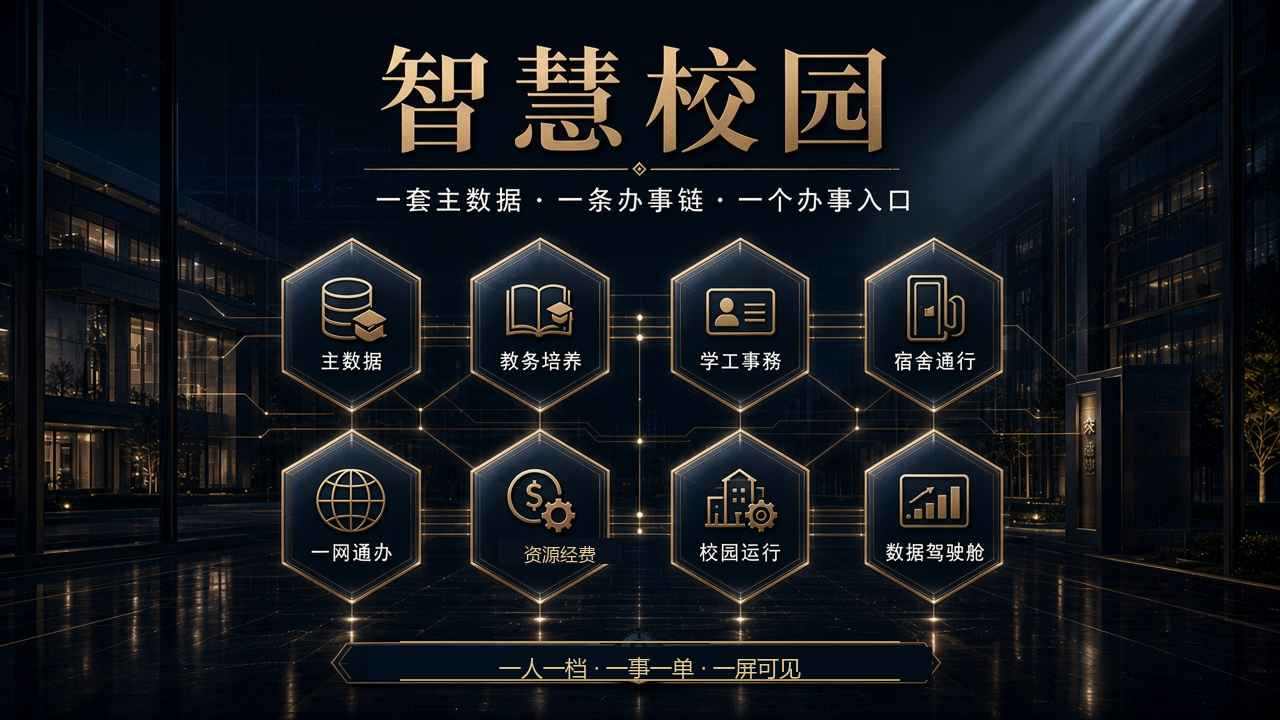
One master record, one service chain, one front door
A campus operations platform for universities, covering undergraduate, graduate, and continuing-education programs. Organization, teaching, student life, campus operations, resources, and decisions share one permission model and one set of master data. Staff configure and process work on the desktop; students and faculty apply, approve, and check status on mobile; leaders see enrollment, access, occupancy, and queues on one screen.
Why it matters
One Record per Person
Students, faculty, contractors, trainees, and alumni share one people master. Status changes drive beds, access, and checkout lists.
One Ticket per Matter
Leave, room changes, reimbursements, purchasing, repairs, and service-hall requests each have a document, a status, and a task.
One Approval Inbox
Cross-department work lands in a shared inbox and writes back to the owning office when it is done.
One Gate Decision
Access checks identity, permission, approved leave, and holiday policy together — the right people leave, the others stay.
One Ledger
Payroll, stipends, continuing-education fees, research spend, and purchase payments post into the same voucher book without double entry.
One Screen
Headcount, today’s entries and exits, occupancy, overdue returns, and open tasks come from business records, not side spreadsheets.
Core modules
One master record, one service chain, one front door
Master Data & Identity
People and rooms are maintained once. Accounts shrink to the post.
- ▸Orgs, programs, terms, buildings
- ▸Person status and data owners
- ▸Roles, menus, SSO
- ▸Scope by college, building, gate
Academic Programs
Undergraduate, graduate, and continuing education share person IDs.
- ▸Curricula, schedules, grades
- ▸Advisors, thesis, assistantships
- ▸Cohorts, certificates, fees
- ▸Enrollment and graduation review
Student Affairs
Leave, aid, and checkout stay attached to the same student.
- ▸Leave requests and return
- ▸Aid, counseling, careers
- ▸Departure checklist
- ▸Advisors see only their students
Housing & Access
Beds follow housing documents. Movement follows access logs.
- ▸Check-in, transfer, checkout
- ▸Gates, visitors, vehicles
- ▸Guard verify or deny
- ▸Late and missing-return alerts
One-Stop Services
The service hall owns forms and routing. Rules stay with the office.
- ▸Service catalog and forms
- ▸Shared task inbox
- ▸Write-back on completion
- ▸Apply and approve on mobile
Resources & Finance
Purchasing, assets, research spend, and vouchers follow one payment.
- ▸Tender, contract, winning bidder
- ▸Pay only after a checked invoice
- ▸Budget hold and voucher dedupe
- ▸Asset cards and room booking
Campus Operations
HR, research, library, logistics, and the campus card cite the same masters.
- ▸Hire, leave, employment status
- ▸Projects, funds, outputs
- ▸Loans, seats, arrears
- ▸Repairs, card ledger, lost cards
Executive Cockpit
Indicators trace back to business records, not hand-typed reports.
- ▸Headcount, access, occupancy, tasks
- ▸Data-quality issues returned to owners
- ▸Term-end submission drafts
- ▸Leaders view without taking over approvals
Typical scenarios
From leave request to the gate
A student files weekend leave on the phone. The advisor — and the college, when required — approves it in the inbox. Permission is written to access control. The gate verifies and logs the exit. Returning and closing the leave withdraws the permission. Unapproved leave does not open the gate.
An advisor’s own students
Menus and data stay inside the assigned cohort. Leave, room changes, and service-hall items appear as tasks; late returns appear as alerts. The advisor cannot edit campus-wide beds or open another college’s grades.
Housing and the night gate
Housing assigns a free bed and blocks a transfer when the target bed is taken. Each gate event stores the person, door, direction, time, and why it was allowed or refused. Bed ledgers and access logs stay separate.
From tender to payment
Assets publishes a tender, records bids, awards a winner, and drafts the contract only with that supplier. Payment waits for an invoice whose amount, number, and uniqueness check out. Finance posts one voucher; a second click does not post another.
Graduation checkout
Library holds, fees, beds, and accounts point at the same student. An uncleared bed or balance shows up on the departure list and in data-quality issues for the office that owns the record.
Ten minutes for campus leadership
The cockpit shows headcount, today’s traffic, occupancy, students still out on leave, task backlog, and data-quality counts. An anomaly drills into the list. Leaders still view as leaders — they do not replace advisor-by-advisor approval.
Capability map
| Domain | What it covers |
|---|---|
| Master data | Organization, people, programs, terms, rooms, shared status codes |
| Identity | Accounts, role menus, SSO integration, data scope by post |
| Academic life | Undergraduate affairs, graduate training, continuing-education cohorts and fees |
| Student life | Leave, aid, full housing cycle, departure checklist |
| Campus run | Access and visitors, card ledger, repairs, library loans, fire-safety checks |
| Money & assets | Employment status, research funds, procurement, vouchers, bank reconciliation |
| Service & decisions | One-stop hall, in-app messages, quality checks, cockpit, submission drafts |
Where the university already runs identity, academic, card, or gate systems, Smart Campus connects master data and workflows instead of replacing them. Schools that want housing, access, and leave first can start with campus operations and add teaching and finance later. Scope follows the confirmed project list.